
Simple Video Editing: Make Stunning Clips in Minutes
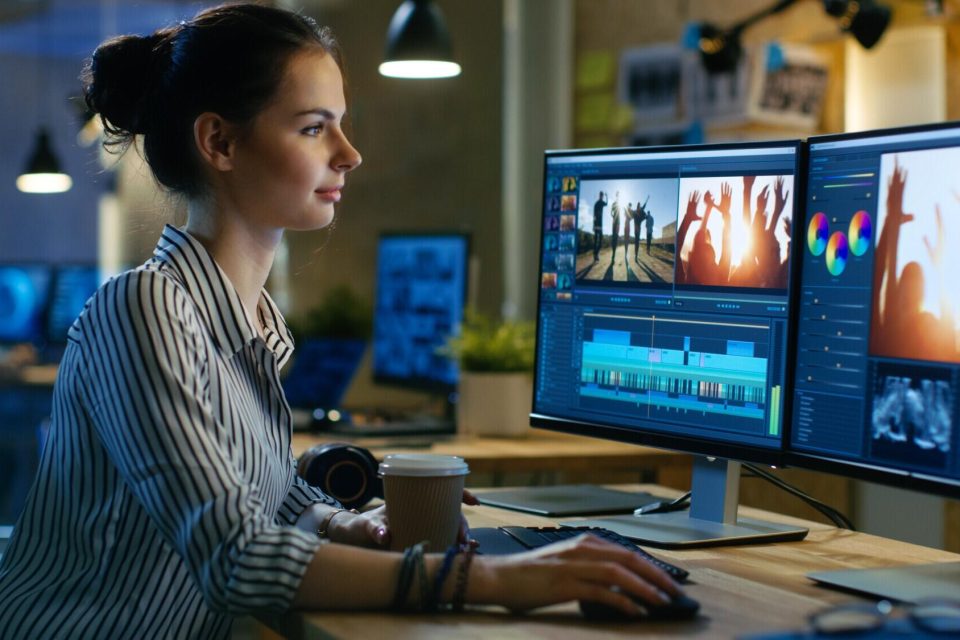
Creating stunning videos online has never been easier, thanks to a plethora of user-friendly editing tools available today. Whether you’re a beginner looking to create personal clips or a marketer needing to produce engaging content, you can now achieve professional results in a matter of minutes. The beauty of modern video editing lies in its simplicity, offering powerful features that anyone can master quickly.
Understanding the Basics of Online Video Editing
To get started, it’s essential to understand the core components of online video editing. Most editing platforms follow a straightforward process that includes importing your footage, editing it using various tools, and finally exporting your finished product. This process allows for flexibility and creativity, enabling you to enhance your clips seamlessly.
Choosing the Right Platform
When selecting a video editing platform, consider factors such as usability, available features, and pricing. Fortunately, many platforms cater to different skill levels, making them suitable for everyone. Popular options include Adobe Spark, Kapwing, and InVideo, which offer a range of tools to edit videos online effortlessly.
Key Features of Online Video Editing Tools
Online video editing tools offer a convenient and accessible way to create professional-looking videos without the need for high-end software or hardware. One of their key features is cloud-based functionality. This allows users to edit videos directly from a web browser without downloading large programs.
These tools often support drag-and-drop interfaces, making them user-friendly even for beginners. Many platforms provide built-in templates, transitions, effects, and royalty-free music libraries. This helps to enhance creativity and speed up the editing process.
Additionally, most tools support multiple video formats and resolutions, including HD and 4K, catering to different project requirements. Collaboration features are also common, enabling multiple users to work on the same project in real time.
Automatic saving and export options for social media platforms simplify sharing and publishing. Overall, these features make online video editors ideal for content creators, marketers, educators, and anyone needing quick and effective video editing solutions.
Steps to Edit Videos Online
Editing videos online can usually be broken down into a few simple steps:
1. Import Your Footage
Begin by uploading your video clips to the editing platform. Most tools support various file formats, ensuring compatibility with your media.
2. Arrange Your Clips
Drag-and-drop functionality can help you organize your clips on the timeline. Position them in the desired order and trim any unnecessary footage.
3. Add Effects and Transitions
Enhance your video by applying visual effects and transitions between clips. These elements help create a cohesive narrative that keeps viewers engaged.
4. Incorporate Text and Music
Adding text overlays and background music can significantly boost the appeal of your clips. Be sure to select styles that fit the mood of your video.
5. Export Your Finished Product
After completing your edits, it’s time to export your video. Most platforms provide multiple export options, from resolutions to formats, so choose what fits your needs.
Tips for Creating Stunning Video Clips
Creating stunning video clips requires a mix of creativity, planning, and technical know-how. Start by outlining a clear concept or storyboard to guide your filming and editing process. Use high-quality footage-whether recorded with a professional camera or a smartphone, ensure good lighting and stable shots.
Keep your clips short and focused to maintain viewer interest. When editing, use transitions and effects sparingly to enhance rather than distract. Choose music that matches the mood and energy of your video, and always check copyright permissions.
Pay attention to pacing-align cuts with the rhythm of your audio or key actions. Add text overlays or subtitles for clarity, especially on social media where sound may be off by default.
Finally, export in the highest resolution possible for the intended platform. With thoughtful planning and precise editing, your video clips can captivate and engage any audience effectively.
Exploring Advanced Techniques
Once you’re comfortable with basic editing tools, you can explore advanced techniques to take your videos to the next level. Techniques such as color grading, motion graphics, or multi-camera edits can create a more professional look.
Color Grading
Color grading involves adjusting the color balance and tones in your footage to achieve a desired aesthetic. It can greatly enhance visuals and set the emotional tone of your video. Online tools like DaVinci Resolve offer powerful color grading features that are user-friendly.
Motion Graphics
Incorporating motion graphics or animated text into your videos can make them more dynamic. Programs such as After Effects allow you to create stunning animations that can add excitement and professionalism to your content.
Why Use Online Video Editing Tools?
Online video editing tools are a simple, fast, and low-cost way to make great-looking videos. You don’t need expensive software or advanced skills. You can use them on any device with the internet, so it’s easy to edit anytime, anywhere.
Most tools have easy drag-and-drop controls, ready-made templates, transitions, and free media you can use. This makes editing easier, even for beginners. They work with many video formats and can handle HD and 4K videos.
Some tools also let you work with others at the same time, which is helpful for group projects. Many online editors are connected to social media, so you can share your videos right away. Whether you’re new to editing or creating videos for school, work, or fun, these tools help you make professional videos quickly and easily.
Finding the Best Free Video Editing Options
For those on a budget, finding the best free video editing tools is crucial. Platforms like Adobe Express, provide robust features without a cost. These tools are free, they may come with export options or watermarked videos.
Start Creating Stunning Videos Online Today
Embracing online video editing tools can empower creators and marketers alike to produce captivating content with ease. By understanding the basic features and applying some simple techniques, creating beautiful videos online is within everyone’s grasp.
Dive into the world of video editing and let your creativity shine by exploring the possibilities waiting at your fingertips. Get started today and see your ideas come to life!
Looking for more tips and advice? You’re in the right place! Make sure to bookmark our page and come back to check out more interesting articles.