
Image Filtering: Tips for Editing Like a Professional Photographer
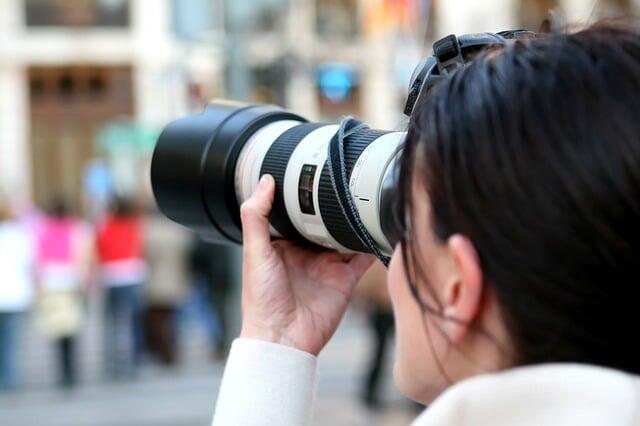
No matter how good a photographer you are, editing can make or break a photo. Learning how to use filters is key to turning good pictures into great ones. Just like a painter picks colors, photographers must choose the right filters to improve their photos.
Editing is not just fixing mistakes-it helps show the photo’s beauty, add depth, and share emotions. Many photographers, both beginners and pros, find filtering tricky.
What if you could edit photos like a professional? This guide will give you simple tips and techniques to improve your editing and get professional-looking results.
Understanding Image Filtering
Before we get to the tips, it’s important to know what image filtering is. Image filtering means changing parts of a digital photo to get the look or mood you want. This can include adjusting colors, brightness, contrast, or tones.
Filters can make some parts of a photo stand out and make others less noticeable, creating a stronger image. Whether you use Adobe Lightroom, Photoshop, or another app, learn the filtering tools to get the best results.
Choosing the Right Software
Picking the right software is important for easy and effective photo editing. The most popular programs for professional photographers are Adobe Lightroom and Photoshop. Each has features for different editing needs.
Lightroom is easy to use and great for applying filters to many photos at once, which is helpful if you have a large portfolio. Photoshop is better for advanced editing, like using layers, which can help with more complex filters.
There are also mobile apps like Snapseed and VSCO that make it simple to use filters on the go. Every program has its strengths, so try them out to see which works best for you.
Mastering the Basics of Editing
Before you get into the complexities of filtering, it’s vital to establish a strong foundation in basic editing skills. This includes learning how to adjust exposure, contrast, saturation, and color balance. Start by familiarizing yourself with these core adjustments:
- Exposure
- Contrast
- Saturation
- Color Balance
Grasping these fundamental editing skills will significantly improve your ability to apply advanced image filtering techniques later on.
The Value of Consistency
Consistency is very important when editing photos. It helps your portfolio look professional and shows your unique style. Pick a color palette that matches your work and stick with it.
This could mean using the same color tones or similar filters for each photo. You can keep your style consistent by making presets or templates in your software.
For example, Lightroom lets you save your adjustments as presets, which you can apply to new photos. Using the same filters across your work makes your photos feel connected and helps your audience recognize your style.
Experimenting with Filters
One of the most fun parts of image filtering is experimenting. Try different filters and adjustments-you might find some great surprises. You can use filter packs online or even make your own.
In your editing software, move the sliders for brightness, shadows, and highlights to see how your photo changes. Small changes can make a big difference.
You can also combine several filters to give your image more depth. Remember, the goal is to improve your photo, not cover it up.
Utilizing Color Theory in Image Filtering
Understanding color theory can also significantly enhance your filtering skills. Complementary colors can create beautiful contrasts, while analogous colors can promote harmony within an image. Taking the time to study color wheels and the relationships between colors can guide your filtering choices.
For example, if your image has a lot of warm tones, consider applying filters that accentuate those reds and yellows, while cool tones can be emphasized with blue filters. By strategically utilizing color theory, you can create engaging visual narratives that draw viewers in.
Correcting Common Issues
All photos can have problems, like bad lighting, strange colors, or distracting objects. Learning to fix these with filters can make your photos much better.
For example, if a photo looks green from fluorescent light, you can adjust the color to make skin tones and colors look natural. If part of a photo is too bright, adding a vignette around the edges can bring focus back to the subject. You may try to use other image editing software by creating filters for photos that highlight the main subject while softening background elements.
Defining Your Style
Your style as a photographer is very important, and your filters should reflect it. Think about the feelings you want people to get from your photos, and pick filters that match that mood.
To find your style, look at your favorite photographers and see how they use filters-the colors they choose and how they apply them. Try using some of their techniques while adding your own ideas. Over time, you will create a signature look that makes your photos unique.
Feedback and Learning
Lastly, seek feedback and continuously learn from others. Join photography groups on social media, attend workshops, or work alongside other photographers to share tips and tricks on image filtering.
Receiving constructive criticism can provide insights into areas you may not have considered or help you refine your current techniques. Online platforms such as YouTube and photography blogs often showcase tutorials that can inspire and teach new filtering tricks.
Consider conducting your project where you edit a series of photos in different styles and solicit audience input. Their feedback can inform your growth as an editor and help enhance your image filtering skills.
Elevate Your Photography with Image Filtering
Editing photos like a pro means learning and practicing image filtering. By using the tips in this guide, you can improve your skills and make photos that show your style and grab attention. Choosing the right software, trying different filters, and practicing your edits are all important steps.
Keep learning and improving your skills. Start experimenting with filters today and watch your photos become more beautiful and professional.